Your agent can see, film, script and replay every scene.
Give your agent screenshots, frame sequences and pass/fail reports it can use to check a game or app without opening a window.
Commands and outputs
Choose a command to see what Keel returned and the artifact it produced.
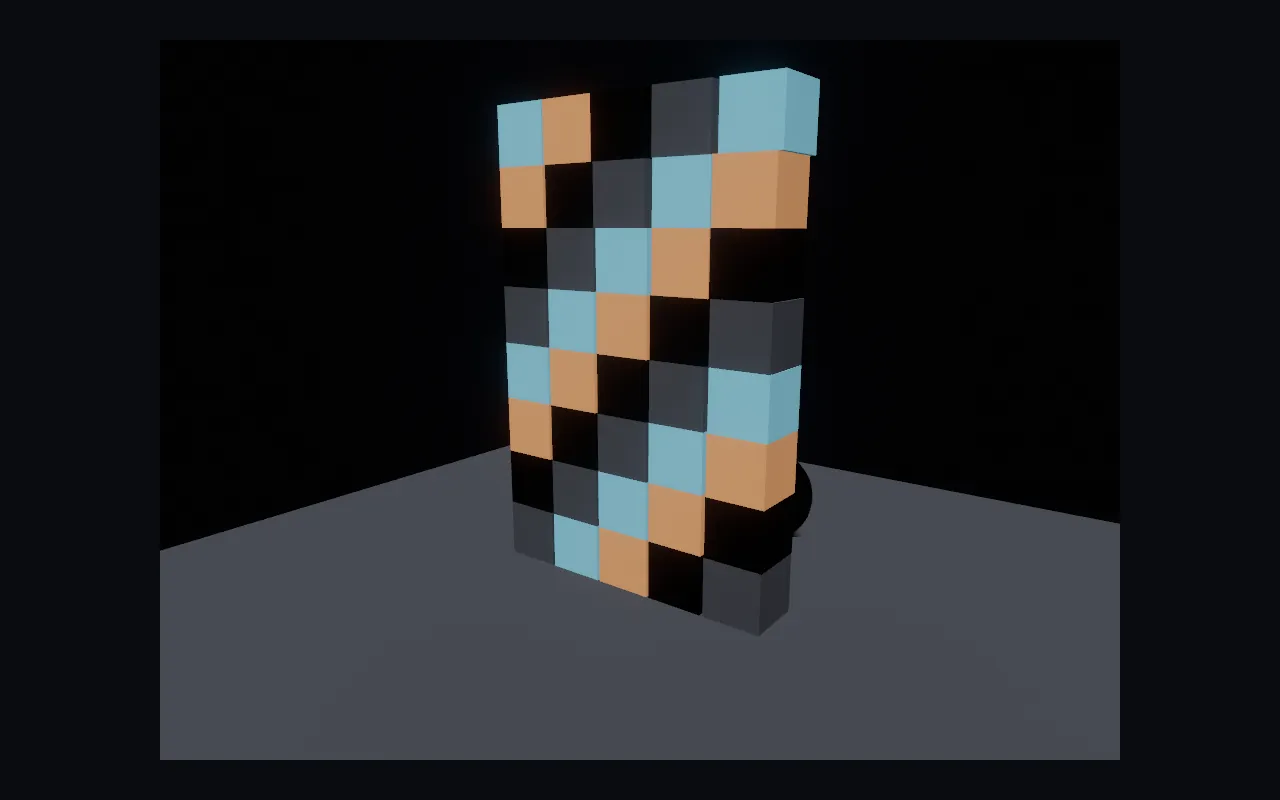
One scene as a PNG, with a report of its colours and coverage. It exits 1 on a panic, a blank frame or an error in the log. Wrote physics.png.
View raw transcript
$ keel scenes
hero  physics  vfx  render  fluid  animation  ui  audio  net  procgen
$ keel smoke
ok  10 scenes, 120 frames each: no panic, no blank frame, no error log
$ keel shot --size 960x720 --json
ok  physics  3,193 colours, 88% covered, blank: false
ok  vfx  34,086 colours, 89% covered, blank: false
ok  fluid  10,128 colours, 91% covered, blank: false
ok  animation  21,099 colours, 95% covered, blank: false
ok  audio  36,155 colours, 88% covered, blank: false
ok  net  16,901 colours, 92% covered, blank: false
ok  procgen  16,958 colours, 83% covered, blank: false
report: "ok": true, exit code 0
$ keel play --script play/save.json
ok  ui in 122 frames: click Save, until "Saved 1 times", shots before.png and saved.png
$ keel film --scene physics --duration 3 --fps 4
ok  13 frames -> physics.sheet.png
$ keel record --script play/save.json
ok  ui, 122 frames recorded with a hash of each
$ keel replay save.replay.json
ok  0 divergent frames in 122
Every file here was written by one run of scenes/posters.sh on 2026-10-31, on AMD EPYC 9454 48-Core Processor, drawing with llvmpipe (LLVM 15.0.6, 256 bits) (vulkan), software, Keel 154fcc8ee.
Everything from the command line
Scenes, content and settings live in code and data files. Use the CLI to create projects, capture screenshots and replay inputs without opening a window.
Project commands
keel new creates an app, 2D game, 3D game or website from a template. keel build, run, test and doctor cover the rest of the loop.
SupportedHeadless screenshots
keel shot renders scenes without a window at the sizes, scales, themes and locales you list, writes PNGs and a JSON report, and fails on a panic, a blank frame or an error log.
SupportedInspect one piece
Use keel inspect to check an asset, a single UI element such as a button, a scene or an animation on its own. The JSON output gives scripts a result they can read.
SupportedRepeatable runs
Advance the clock by a fixed step per frame, then compare screenshots to catch visual changes. In the cited run, 8/10 scenes produced byte-identical frames across two runs on the same renderer. That is not a guarantee for every scene or machine.
SupportedInput replay
Record input and replay it, so a playtest can be repeated exactly.
SupportedAndroid run tooling
keel run --target android builds, installs and launches on a device or emulator, and can save a screenshot. Emulator launch and screenshot validation remain outstanding.
PartialPackaging
keel pack builds for the web, desktop and mobile.
SupportedMachine-readable output
Commands accept --json and use clear exit codes, so scripts and agents can act on the result.
SupportedOne tool for the whole loop.
The 40 commands of keel 0.1.6931, each with the line its own --help prints. Commands accept --json and use clear exit codes, so scripts and agents can act on the result.
- keel new
Create a new title in a new directory
- keel build
Compile the title in the current directory
- keel run
Build and run the title here, or pack it and launch it on a platform (--target)
- keel test
Run the tests of the title in the current directory
- keel dev
Serve a website locally, rebuilding and reloading on every change
- keel serve
Serve a packed site or web pack exactly as its static host would
- keel docs
Build or serve a documentation site from a directory of Markdown
- keel setup
Install what a build needs (Rust, the wasm32 target, wasm-bindgen, binaryen) into the Keel home
- keel doctor
Check that the toolchain and the project are ready for Keel (`--fix` installs what is missing)
- keel self
Check or replace this CLI with a signed release
- keel device
Find, lease and operate devices from an external provider
- keel login
Sign in to a configured remote platform in the browser
- keel logout
Revoke and delete this machine's stored access key
- keel token
Print the access key for authenticated platform requests
- keel inspect
Load one glTF asset or typed content file and report what it holds
- keel view
Preview one asset or library Component in isolation, without booting the game
- keel fonts
Check that the faces in keel.toml [fonts] map every character the title shows (no build)
- keel lint
Scan a title's source for unsupported API patterns
- keel templates
Report the view templates a source file compiles to (ids, nodes, settings, slots) as JSON, with no build
- keel migrate
Rewrite a title written for an older Keel: paths, renamed items, Rect, Cargo.toml and keel.toml
- keel assets
Generated content of a title: the source text of `text!` and `msg!` (extract, check) and model-generated images (generate, lock)
- keel pack
Package the title for a platform profile
- keel publish
Upload a packed release to Google Play or TestFlight (a dry run without --confirm)
- keel scenes
List the scenes a title offers
- keel shot
Capture scenes headless as PNGs: every scene, size, scale, theme and locale asked for
- keel smoke
Enter every scene, run it, and fail on a panic, NaN, blank frame or error log
- keel check
Check a website's pages in headless Chrome: headings, titles, links, overflow, layout shift, hydration
- keel probe
Report one scene's UI tree, World and last frame as JSON
- keel play
Run a scripted input timeline against a scene and check what it shows
- keel film
Film a scene over simulated time: a contact sheet, a GIF, an animated PNG or a video
- keel listen
Render a scene's audio offline: a WAV mix, a WAV per bus, a waveform, a spectrogram and the levels and cues as JSON
- keel trace
Trace a scene or a scripted run frame by frame: what each frame cost and what happened on it
- keel diff
Compare captured PNGs with a baseline; `--update` accepts them as the new baseline
- keel check-screenshot
Check that a screenshot shows the running app: its background, text, art colours
- keel perf
Measure a scene against budgets, or summarise stored title frame-time histograms
- keel bench
Engine benchmarks on this machine's GPU (`instances`: the GPU-driven path at scale)
- keel record
Play a script and record its input, seed and every frame's result to a replay file
- keel symbolize
Name the `wasm-function[N]` frames of a web profile from a pack's symbol map
- keel replay
Re-run a recording and report the first frame that differs
- keel mcp
Serve the agent commands (shot, film, play, probe, trace, replay, perf, smoke, listen) as MCP tools on stdio
Build your next game, app and site on Keel.
Keel Engine is source-available under the Business Source License 1.1. Commercial licences are agreed per licensee.